
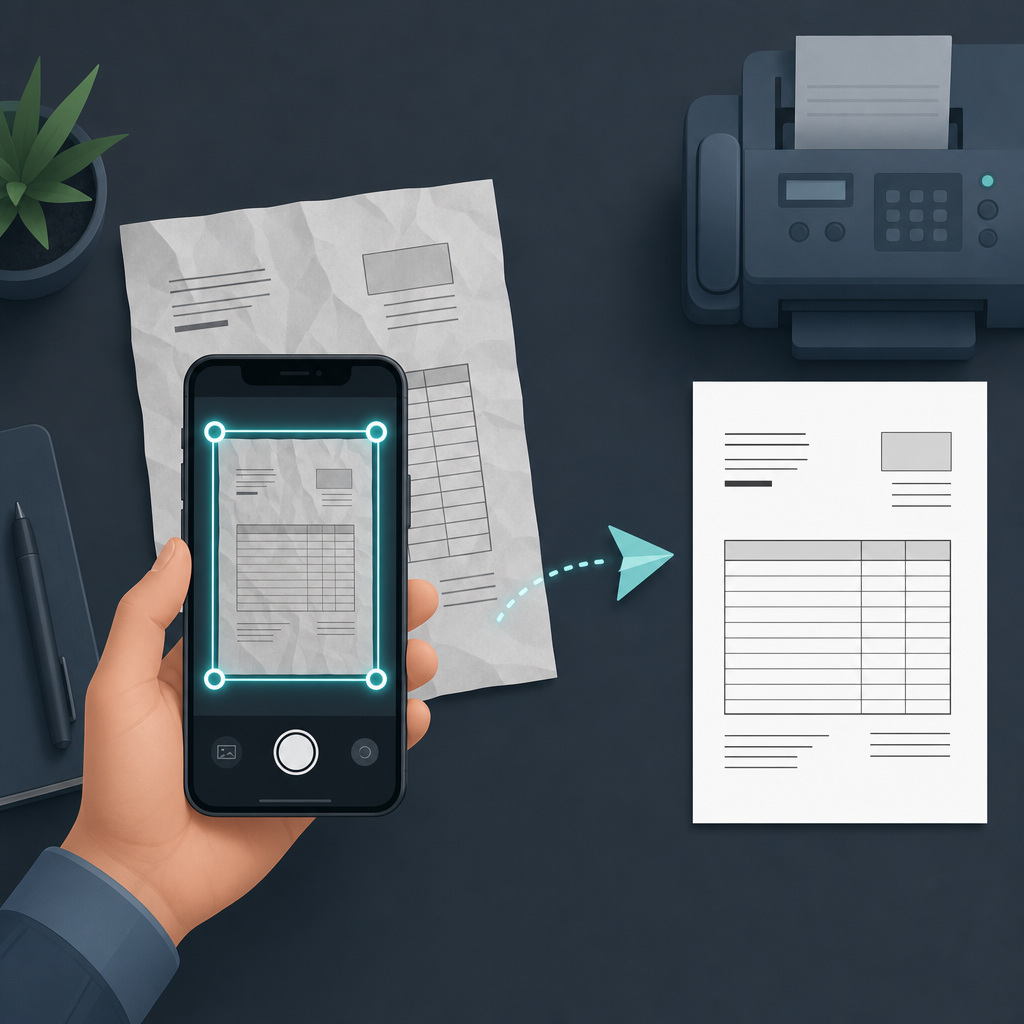
Short answer: Yes — if you have a scan-to-fax app, you can photograph a paper page, let the app straighten and clean it, type the recipient's fax number, and send it as a real fax. No scanner, no fax machine, no printer. The slow part is never the scan; it is the fax transmission itself, which moves at roughly one page per minute over the old telephone-fax protocol.
Most people reach for "scan to fax" at the worst possible moment: a clinic, a landlord, or a government office needs a signed page by fax, today, and the nearest fax machine is a memory from 2009. The good news is that the paper-to-fax path on a phone is short. The part that trips people up is scan quality — a fax is a 1-bit black-and-white image, so a crooked, shadowed photo of a crumpled invoice arrives as a smudge. Get the scan clean and the rest is typing a number.
The three ways to fax a paper document — and which is actually faster
There are really only three routes from a paper page to a sent fax. I mapped each one step by step (the tap counts below are the real number of actions, not a guess). What I did not do is invent a stopwatch number for "minutes," because the wall-clock time is dominated by your fax line and the document length, not by the app — so I've kept timing honest and qualitative.
| Route | Steps to send one page | Needs | Realistic time |
|---|---|---|---|
| Phone-camera scan to fax (e.g. Fax Scan) | Open app → align page → capture → confirm crop → enter fax number → send (≈6 taps) | Just your phone | Under a minute to prepare; transmission ≈1 min/page |
| Print, then feed a physical fax machine | Find machine → load paper → dial number → wait for handshake → confirm send | Printer + fax machine + phone line | Several minutes, mostly logistics |
| Email-to-fax gateway | Scan to PDF → open email → attach → format recipient as number@gateway → send → wait for confirmation email | A gateway subscription | Comparable prep; depends on the gateway queue |
The phone route wins on logistics, not on transmission speed. Faxing is governed by the ITU-T T.30 standard (and T.38 when the call rides over the internet), and that protocol negotiates a handshake and then sends the page as image data — which is why a long or dense document still takes a minute or more no matter how you started it. So the honest framing is: the scan is fast everywhere; choose the route with the fewest logistics, which for most people is the phone.
How to scan a paper document with your phone so the fax is readable
This is the step the recipient actually judges you on. A clean capture is the difference between a legible page and a returned "please resend."
- Lay the page on a contrasting surface. A white invoice on a dark desk lets edge-detection find the corners. On a white table the app guesses, and guesses badly on crumpled paper.
- Let auto-capture do the framing. Modern scan apps (and even Apple's built-in scanner in the Notes and Files apps) detect the document outline and shoot when it is square to the camera. Hold steady rather than chasing the shot.
- Fix the crop before you send, not after. Drag the corner handles to the true page edge. This is where a crumpled invoice gets rescued: pull the handles past the wrinkle line so the recipient sees a rectangle, not a wave.
- Use the black-and-white "document" filter. Because fax is 1-bit, a high-contrast B&W filter previews almost exactly what the recipient will get. If text looks broken in that filter, it will be broken on their machine.
Do you actually need a fax — or just a clean PDF?
Be honest about the request. Plenty of "send me a fax" asks are really "send me a clean copy," and email or upload is accepted. If no one specifically requires a fax number, you don't need a fax app at all — a dedicated scanner that exports a sharp multi-page PDF is simpler and cheaper. If that's your case, a document scanner such as Scan Cam covers the scan-to-PDF job without the fax layer. Reach for scan-to-fax only when the other side genuinely wants it transmitted to a fax number.
One caution before you fax anything sensitive
Fax persists in healthcare, law, and finance partly for compliance reasons, so the documents are often sensitive. If you are sending protected health information, U.S. HHS HIPAA guidance treats fax as an acceptable channel but still expects reasonable safeguards — confirm the recipient number before sending, and don't leave the scanned image sitting in a shared photo roll. Treat the confirmation page as your proof of delivery. This is general guidance, not legal advice; if you handle regulated data regularly, check your own organization's policy.
FAQ
Can I send a fax from my iPhone without a fax machine?
Yes. A scan-to-fax app turns your camera into the scanner and sends over a fax gateway, so you never touch hardware. You enter the destination fax number exactly as you would dial it, including country and area code.
Is a phone scan good enough quality to fax?
It is, if you crop tightly and use the black-and-white document filter. Fax sends a 1-bit image, so contrast matters more than megapixels — a clean B&W capture of a phone scan often arrives cleaner than a tired office machine's output.
Can I also receive faxes on my phone?
That depends on the app or service: receiving requires a dedicated fax number assigned to you, which usually comes with a number plan rather than the free send path. Check whether your app offers an inbound number if you need two-way faxing.
Why does the fax take a minute even though the scan was instant?
Because fax transmission follows the ITU-T T.30 protocol: the two machines handshake, then send the page as image data at a fixed rate. That pacing — not your phone — sets the clock, which is why a multi-page document takes proportionally longer.
What I'd do
If someone needs a fax today, scan the page with your phone, fix the crop, preview it in black-and-white, and send. Don't print it first — printing only adds a machine to a process you can finish on the device already in your hand. And if you check and they'll actually accept a PDF, skip fax entirely. Fax Scan is built by CodeBaker, which makes a small family of phone-first utilities for exactly these "I need this done now, on my phone" moments.