
Back to Blog

Is Sending a Fax from Your Phone Secure? HIPAA, Encryption, and What Actually Happens to Your Document

Cem Akar · Jun 02, 2026 · 8 min read
Is Sending a Fax from Your Phone Secure? HIPAA, Encryption, and What Actually Happens to Your Document

Short answer: Sending a fax from a phone app can be reasonably secure, but "secure" has two halves. The leg from your phone to the fax provider usually rides over TLS, the same encryption your bank uses. The final leg — provider to the recipient's fax machine — travels the phone network or T.38, which is not end-to-end encrypted. For US HIPAA, fax is an accepted channel, but compliance lives in safeguards and contracts, not in the app icon.

People rarely ask "is this secure?" until the document is sensitive. A medical record. A signed lease. A tax form with a Social Security number on it. The clinic or the lawyer wants it by fax, and suddenly the casual scan-and-send you'd do for a receipt feels like it deserves a second look. It does. So let's trace exactly where your document goes, in order, and where the protection starts and stops.

What actually happens to your fax, step by step

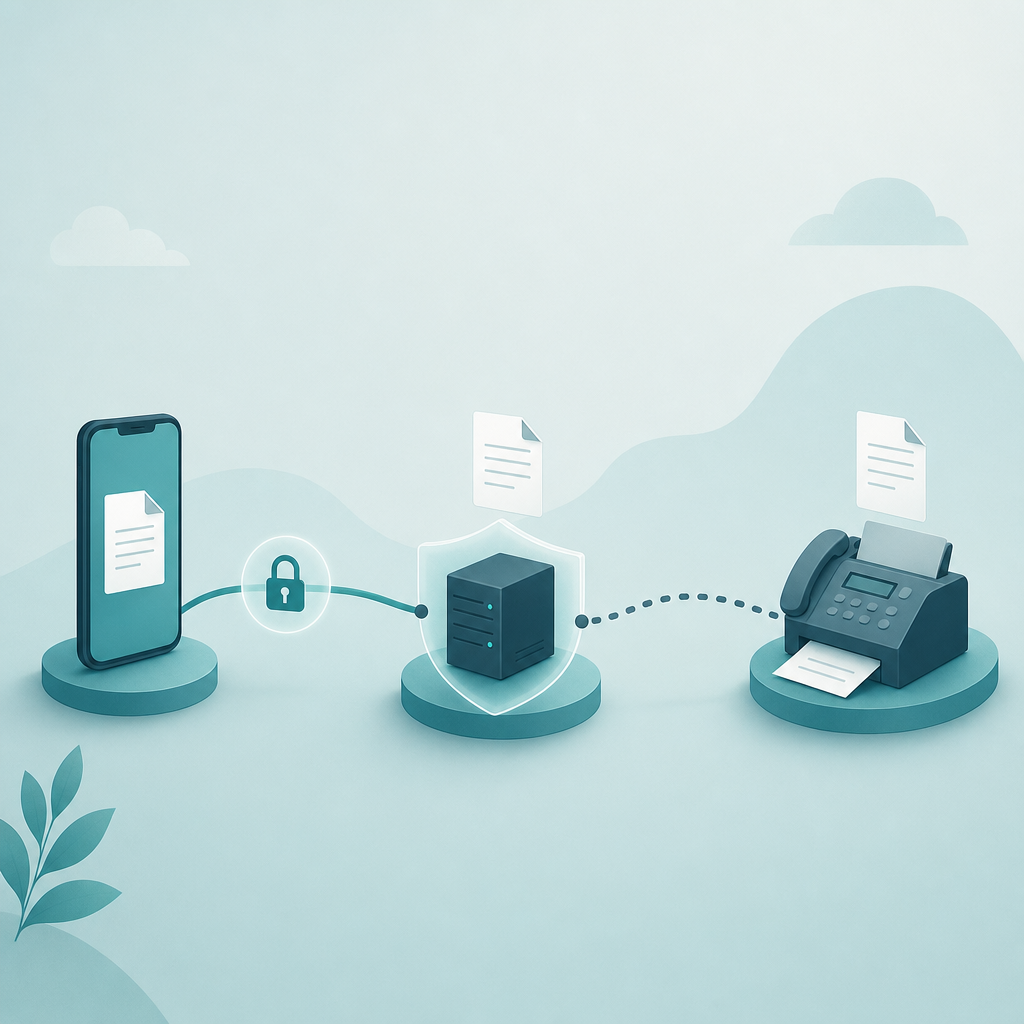
A phone fax is not one transmission. It's a relay with at least three distinct legs, and each leg has a different security model. Here is the honest version, without the marketing gloss.

  1. Capture and upload. Your phone scans or imports the page, then uploads it to the fax provider's servers. A credible app does this over HTTPS/TLS — the encryption-in-transit standard that NIST references for protecting data moving across networks. This leg is typically the best-protected part of the chain.
  2. Conversion and queueing. The provider converts your image or PDF into the fax image format and holds it briefly to dial out. At this moment your document exists, decrypted, on someone else's server. This is the leg that matters most for compliance, and the one app store descriptions tend to skip.
  3. Transmission to the recipient. The provider sends the page using the fax protocol — ITU-T T.30 over the traditional phone line, or T.38 when the call rides over IP. Per the ITU-T T.38 technical overview, T.38 is designed to carry real-time fax reliably over packet networks, but it is a transport spec, not an end-to-end encryption scheme. The page arrives at the destination machine as image data.

Claim: A phone fax is usually encrypted on the way to the provider, but not end-to-end to the recipient.
Evidence: Reputable providers document TLS for the upload leg; the T.30/T.38 transmission leg is a fax-transport standard (ITU-T), not an encrypted channel.
Limit: This does not mean fax is insecure — only that "encrypted" describes the first leg, not the whole journey.
Action: If a document is regulated, read the provider's security page, not just the app listing.

The contrarian part: fax survives because of liability, not despite it

The common line is that fax is a fossil that healthcare and law are too stubborn to retire. I think that misreads it. Fax persists in exactly the fields with the clearest liability — clinics, hospitals, attorneys, title companies, government offices — and that's not a coincidence.

Fax has a property email struggles to match: a point-to-point delivery to a known number with a confirmation page. Under the US HHS HIPAA Security Rule, covered entities have to apply reasonable administrative, physical, and technical safeguards to protected health information. Fax fits that framework with decades of established practice and audit habits behind it. A misdialed fax is a known, bounded risk. A forwarded email with an attachment can leak in ways that are harder to contain and prove. So the industries with the most to lose keep a channel they can defend on paper. Old does not always mean careless.

That said — and this is the caveat — "HIPAA compliant" is not a checkbox a free fax app can tick for you. Compliance comes from how you use the tool, whether a Business Associate Agreement is in place where one is required, and your organization's own policy. The app is one link in that chain.

Is this fax app safe? A checklist you can actually run

Before you trust any "secure fax online" service with a sensitive page, you can answer most of the safety question in about five minutes. None of this requires technical skill — just reading the provider's own documentation instead of the app store blurb.

  1. Does it state TLS/HTTPS for the upload? If the security page can't tell you how your document travels to their server, that's a signal, not a reassurance.
  2. What is the data retention policy? Ask the real question: after the fax sends, is your document deleted, and when? A document that lingers indefinitely on a server is a standing risk. Look for a stated retention window.
  3. Where are files stored, and who can see them? Region of storage and access controls matter for regulated data. Vague answers here are common; treat vagueness as a downgrade.
  4. Does it claim compliance it can't back? "HIPAA compliant" with no mention of a Business Associate Agreement is marketing, not a guarantee. For US healthcare use, the BAA is the part that counts.
  5. Where does the scanned image live on your phone? If the app dumps the capture into your shared camera roll or a synced photo library, the document outlives the fax — and now it's in your cloud backup too.

That last point is the one most people miss. The transmission can be flawless and you still leave a copy of a tax form in your auto-syncing gallery. Keeping the scan inside the app, or capturing it with a scanner that stores locally and doesn't auto-publish to the camera roll, closes that gap. If you want the capture to stay on-device before you ever transmit it, a local-first scanner like Scan Cam handles the scan without routing the image through your photo library first.

When a phone fax is the right call — and when it isn't

It's a good fit when the other side genuinely requires a fax number, when you need a confirmation page as proof of delivery, and when the document is sensitive enough that a point-to-point channel beats a forwarded email thread. That covers a lot of clinic, landlord, and government requests.

It's the wrong tool when "send me a fax" really means "send me a clean copy" and an email or secure upload portal is accepted. In that case fax adds a server hop and a retention question for no benefit. Ask. Many requests soften the moment you offer a PDF.

FAQ

Is sending a fax from my phone HIPAA compliant?

It can be part of a compliant workflow in the US, but the app alone doesn't make it so. Under US HHS HIPAA Security Rule guidance, you need reasonable safeguards, and where a service handles protected health information on your behalf, a Business Associate Agreement is typically required. Confirm the recipient number, limit who can access the document, and follow your organization's policy. This is general information, not legal advice.

Is the fax encrypted while it's being sent?

Partly. The upload from your phone to the provider usually uses TLS, the encryption-in-transit standard NIST references. The final leg to the recipient's machine uses the fax protocol — ITU-T T.30, or T.38 over IP — which is a transport standard, not end-to-end encryption. So the document is protected to the provider, then sent as fax image data over the phone network.

What happens to my document after the fax is sent?

That depends entirely on the provider's data retention policy, which is why it belongs on your checklist. Some delete the file shortly after transmission; others keep it. Read the security or privacy page for a stated retention window, and separately check whether the app saved a copy to your phone's camera roll, which would survive the send.

Is fax actually more secure than email?

Neither is end-to-end encrypted by default, so "more secure" is the wrong frame. Fax offers point-to-point delivery to a known number plus a confirmation page, which is why regulated fields keep using it. Email can be encrypted too, but is easier to forward and harder to contain if misaddressed. The right channel is the one your recipient requires and your policy allows.

Can someone intercept a fax in transit?

The realistic risks are mundane, not cinematic: a misdialed number sending the page to the wrong machine, a document sitting too long on a server, or a copy left in your photo library. Verify the destination number before you send, prefer a provider with a clear retention policy, and keep the scanned image out of synced storage.

What I'd do

For a sensitive document, I'd treat the app store description as marketing and go read the provider's security and retention pages first. I'd confirm TLS on the upload, look for a stated deletion window, double-check the destination number, and make sure the scan didn't land in my camera roll. For US healthcare use specifically, I wouldn't rely on a "HIPAA compliant" badge without understanding whether a Business Associate Agreement applies. And if the recipient will quietly accept a PDF, I'd send that instead and skip the extra server hop entirely. Fax Scan is built by CodeBaker, which makes a small family of privacy-minded, phone-first utilities for exactly these "I need this handled now, and handled carefully" moments.

All Posts
𝕏 in
Language
English en العربية ar Dansk da Deutsch de Español es Français fr עברית he हिन्दी hi Magyar hu Bahasa id Italiano it 日本語 ja 한국어 ko Nederlands nl Polski pl Português pt Русский ru Svenska sv 简体中文 zh