
Are you still routing your most sensitive financial and medical paperwork through unverified online fax sites just to send a quick transmission?
The safest way to handle mobile transmissions today is to bypass public web portals entirely and utilize a private, on-device conversion engine. By processing your scans locally on your smartphone before connecting to an encrypted fax service online, you keep your raw data out of vulnerable cloud rendering queues while maintaining the reliability of traditional hardware.
As the product developer behind Fax Scan: Send & Receive PDF, I spend a lot of time analyzing how people actually handle digital paperwork. The migration away from physical machines is accelerating rapidly. According to recent data from Business Research Insights, the global market for these digital solutions is projected to reach $5.18 billion by 2035, growing at a steady 6.76% compound annual growth rate. However, this massive transition has introduced a serious vulnerability: how we process files before they ever leave our devices.
Global Growth Insights reports that approximately 72% of users now prioritize encrypted transmission and secure data storage when selecting a platform. Yet, many professionals unknowingly compromise that security by relying on outdated cloud conversion tools. Let's compare how different platforms handle your data and why our newly upgraded private document engine changes the equation.
Assess the Risks of Traditional Processing Platforms
When someone needs to transmit a contract quickly, they often search for quick online fax sites. While these platforms seem convenient, their underlying architecture frequently relies on off-site cloud processing.
The Traditional Web Portal Approach:
- The Process: You upload a raw photograph or unsecured text file to a browser-based portal. The portal's remote server converts the file into a standard format, renders it, and queues it for transmission.
- The Pros: Highly accessible from any desktop browser without installing software. Familiar interface for desktop users.
- The Cons: Your raw, unencrypted data sits on a third-party server during the conversion process. You are entirely dependent on upload speeds, which can cause significant friction when dealing with large, multi-page documents.
In practice, the biggest vulnerability isn't the final transmission line—it's the middleman. Every time you upload an image to an external server just to convert to pdf, you lose control of that document's temporary storage lifecycle.

Compare Web-Based Conversions Against Local App Architecture
To eliminate this vulnerability, we completely rebuilt the core infrastructure within Fax Scan: Send & Receive PDF. We moved away from cloud-dependent rendering and implemented a strict, on-device private document engine. If you want to keep client records completely confidential, Fax Scan's local processing architecture is designed precisely for that outcome.
Let's look at how a native mobile workflow compares side-by-side with older methods:
The Private Mobile App Approach:
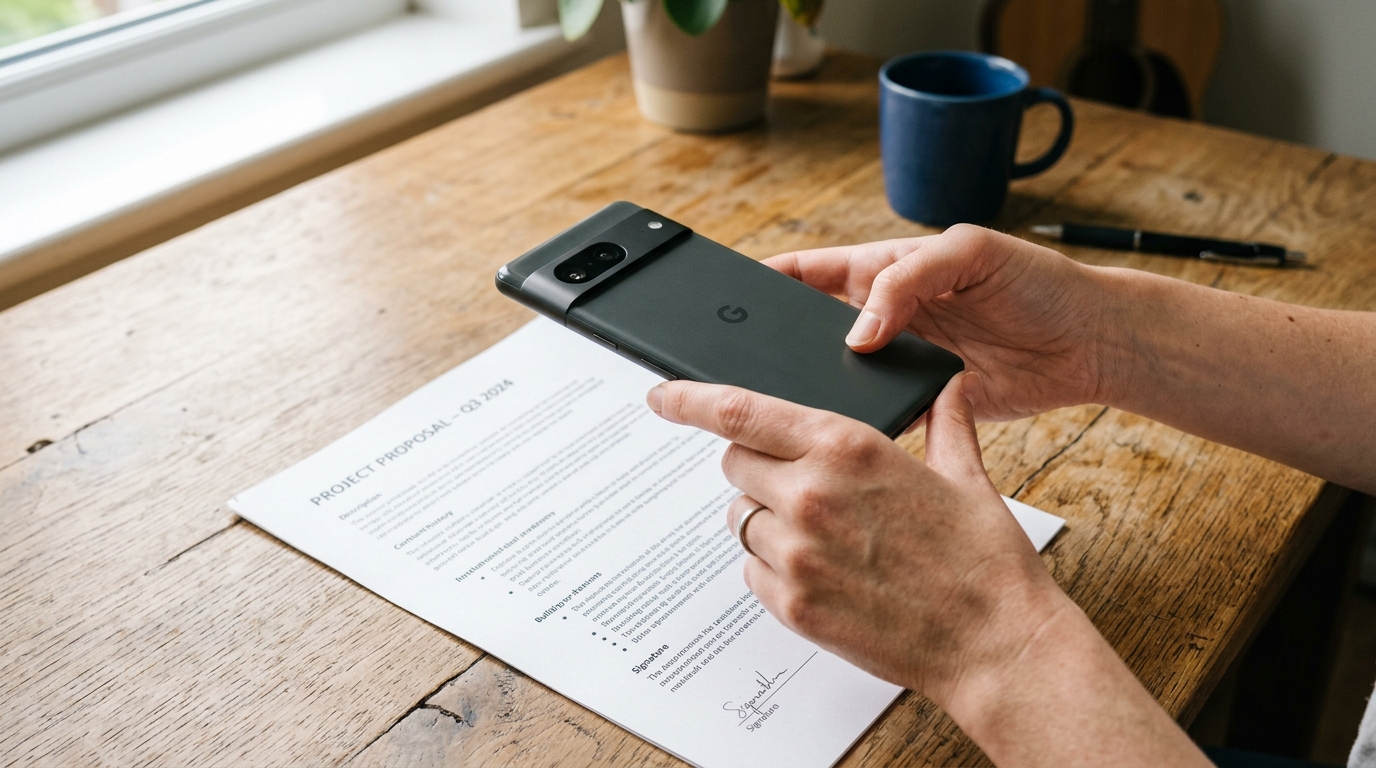
- The Process: You use your phone's camera as a document scanner. The app processes the image, crops the edges, and handles the scan to pdf conversion entirely utilizing your phone's internal processor. Only the finalized, encrypted file is handed off to the secure transmission network.
- The Pros: Zero off-site data harvesting during the conversion phase. Instantaneous processing because it doesn't wait for a server response. If you are offline, you can still scan, edit, and queue your documents.
- The Cons: Requires downloading a dedicated application rather than just visiting a URL.
My colleague Cem Akar recently detailed this fundamental architectural shift in a breakdown of why on-device AI is replacing cloud-based scanners. The core takeaway is that a true private workflow shouldn't rely on the cloud until the absolute last millisecond.
Examine Real-World Mobile Workflows
Understanding the technical differences is one thing, but how does this impact daily usage? Let's evaluate a standard scenario: a freelancer needing to sign and return a nondisclosure agreement.
Using older online fax sites, the freelancer prints the document, signs it, photographs it, and then uploads three separate massive image files to a website. The site struggles to process the large files, the connection times out, and the freelancer is forced to start over, unsure if those initial images were saved on the portal's servers.
By contrast, using a dedicated mobile workflow changes the friction level entirely. A reliable pdf scanner captures the pages instantly. Because the pdf converter runs locally, those high-resolution photos are instantly compressed and flattened into a clean document on the phone itself. If you are looking to send a fax from iphone free of privacy concerns, keeping the heavy lifting on your own hardware is the only viable method.
Select the Right Tools for Your Document Stack
If you are auditing your current software, evaluate your tools based on where the processing actually happens. A tool might market itself as a secure fax service online, but if its companion scanner requires a constant internet connection just to crop a page, it is inherently flawed.
When choosing a mobile solution, look for these specific criteria:
- Local OCR and Conversion: Ensure the app can turn a photo to pdf without a Wi-Fi connection.
- Hardware Integration: The software should interface directly with your phone's native camera API to capture clear text, functioning as a high-grade scanner app free of unnecessary bloated features.
- Encrypted Off-Ramps: Once the file is prepped locally, the actual transmission must utilize end-to-end encryption.
For individuals who are still tied to physical hardware and want to transition to this safer architecture, Melis Doğan recently published a guide to ad-free mobile faxing that outlines the migration process in detail.
Protect Your Sensitive Information Moving Forward
The era of the communal physical machine is over, and the reliance on clunky web portals is quickly following suit. Nearly 64% of organizations globally are actively shifting toward secure, cloud-integrated solutions to handle document exchange efficiently. But as you upgrade your personal or business infrastructure, you must protect the processing phase.
Your smartphone has enough processing power to handle complex document rendering independently. By utilizing a private mobile engine, you retain absolute control over your documents right up until the moment of encrypted delivery. If you manage a broader communication stack and need additional versatile utilities, you might also explore other dedicated tools like Codebaker's document applications to complement your local workflows.
Ultimately, true privacy means limiting exposure. Stop outsourcing your document conversion to random web servers, and start letting your own device do the work it was built to do.